
Stencil Design Software: Choose the Right Tool for Your Creative Vision
A practical guide to choosing stencil design software. Compares vector editors, dedicated stencil tools, and web-based options, with advice on features that actually matter.
Stencil Design Software: Choose the Right Tool for Your Creative Vision
Creating a stencil design from scratch can feel overwhelming when you're facing a blank canvas - or blank screen. The right design software can transform this from a frustrating chore into genuinely enjoyable work. But "the right software" doesn't mean the most expensive option or the one with the longest feature list. It means the tool that matches your workflow, skill level, and the type of stencils you actually create.
I've spent considerable time with various design tools, from free web-based options through to professional-grade software. What I've learned is that choosing based on your specific needs matters far more than choosing based on what others recommend.
Understanding Stencil Design Software
Before diving into features and options, let's clarify what stencil design software actually does - and what it doesn't.
What Stencil Design Software Provides
At its core, stencil design software helps you visualise your design, prepare it for cutting, and export it in a usable format. The best tools handle some of the technical requirements automatically: converting designs to cutting-friendly formats, ensuring registration marks are accurate, and helping you manage intricate details.
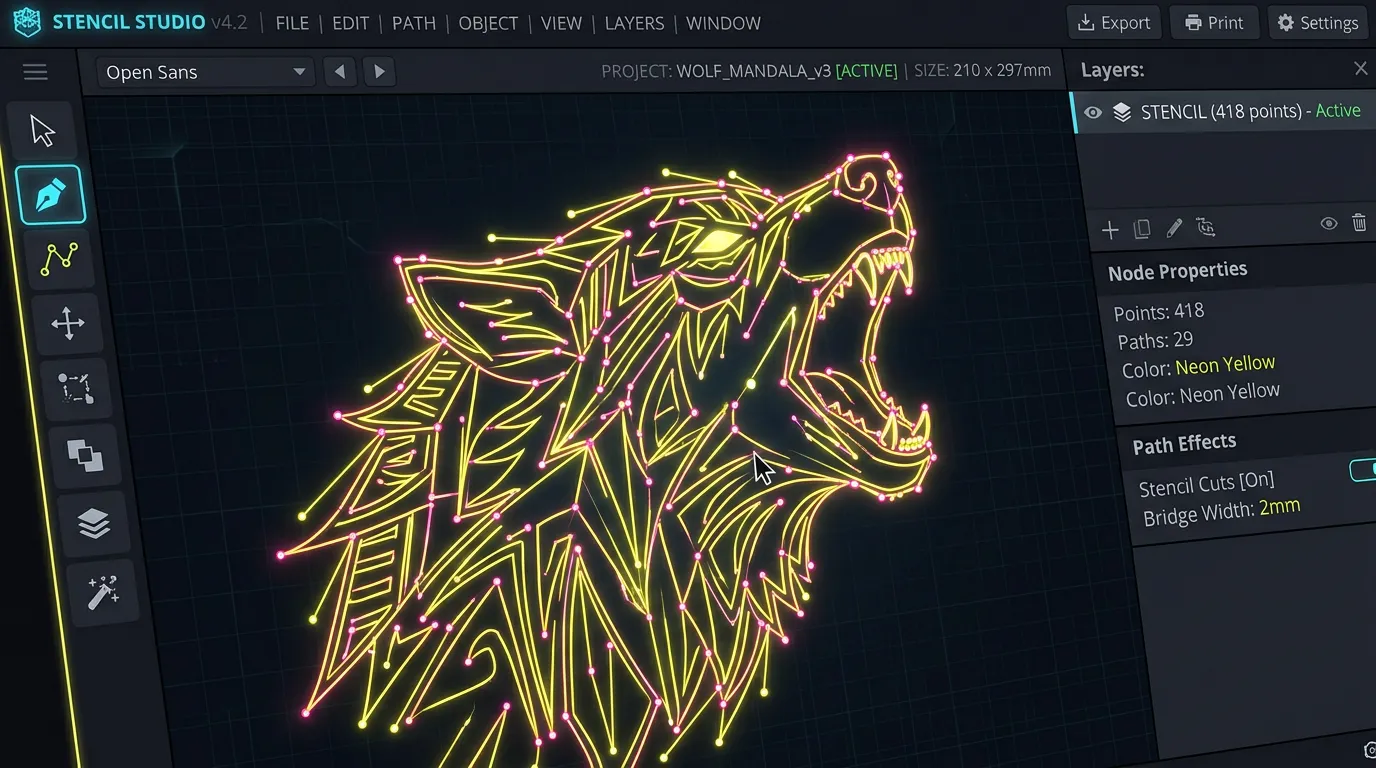
Many general design tools can technically create stencil designs, but specialised stencil software includes features specifically built for stencil work. These might include guides for bridge placement (those thin strips that hold cut-out sections together), automatic path optimisation for cutting, and preview modes showing how your stencil will actually look once cut.
The Different Categories
Broadly speaking, stencil design software falls into several categories:
- Vector editors like Adobe Illustrator or Affinity Designer, which work with lines and shapes rather than pixels
- Raster editors like Photoshop, which work with pixels and are generally less ideal for stencils
- Dedicated stencil tools that combine drawing capabilities with stencil-specific features
- Online/web-based tools that trade some capabilities for accessibility and ease of use
- Photo-to-stencil converters that transform photographs into stencil designs
Each serves a different purpose. Your choice should depend on whether you're designing from scratch, adapting existing artwork, or converting photographs.
Key Features to Look For in Design Tools
Bridge Recognition and Management
If you're creating anything beyond a simple outline, you need to think about bridges - those crucial thin strips holding separate sections together. A stencil without proper bridges falls apart the moment you start using it.
The best design tools either help you identify where bridges need to go or, even better, automatically suggest them. Free tools often require you to manually add bridges, which is fine if you only create simple designs but becomes tedious with complex artwork. You can always add them by hand, but software that handles this automatically saves considerable time and helps you avoid mistakes.
Layer Management
Multi-layer stencils - where you cut different coloured designs in sequence - are genuinely brilliant for more sophisticated work. Design software that handles layers cleanly makes this dramatically easier. You can design each colour separately, see how they overlay, and export each colour as an individual cutting file.
Some tools integrate layer management so naturally that you barely think about it. Others make you jump through hoops to separate layers for cutting. This is worth testing before committing.
Export Options
Your design software is only useful if it exports in formats your cutting equipment accepts. Most cutting machines work with vector formats like SVG or PDF. Some proprietary equipment requires specific formats. Before selecting software, check what your cutting method needs.
Additionally, look for tools that export clean vectors without unnecessary complexity. Sometimes software adds tiny extra paths or creates overly complex outlines that cause cutting issues. You want exports that are essentially ready to cut.
Precision and Measurement Tools
For production work or when dimensions matter, precision tools are essential. The ability to specify exact measurements, align objects perfectly, and ensure consistency across designs is valuable. Casual tools might feel adequate until you need a stencil that fits within specific dimensions - then you'll wish you'd chosen something with better measurement capabilities.
Learning Curve
This matters more than you'd think. Powerful software with a steep learning curve might sit unused whilst a simpler tool delivers results immediately. Be honest about how much time you're willing to invest learning something new. If you just need basic stencil designs, a straightforward web tool might serve you better than wrestling with professional software for weeks.
How Software Simplifies (or Complicates) the Design Process
Starting from Scratch
Creating an original stencil design from blank canvas works best with drawing tools - either vector editors or dedicated stencil software. Vector editors offer the most control but require you to think carefully about bridge placement. Dedicated stencil tools guide you through these considerations.
I find that starting with rough pencil sketches, then digitising them, works better than trying to design directly on screen. Some software includes painting or sketching features that bridge this gap, letting you sketch digitally then convert to cutting-ready vectors.
Adapting Existing Images
If you're working from clip art, downloaded images, or your own photographs, you'll probably use either a vector tracing tool or photo-to-stencil converter. Vector tracing converts raster images to vector outlines, which you can then refine. Photo converters automatically simplify images into stencil-suitable designs.
The quality varies considerably. Some converters produce usable results immediately. Others create designs with too many layers or complexity. Testing on images similar to what you'll use regularly is essential before committing to a tool.
Collaboration and Version Control
If you're working with others - perhaps designing stencils for a team project or taking feedback from collaborators - cloud-based tools with easy sharing and commenting features matter more. Desktop software is often superior for final production but clumsy for iterative team work.
Why FSM Pro Stands Out for Stencil Design
Honestly, most general design software forces you to manually handle stencil-specific considerations. You're responsible for bridges, you're responsible for export format, and you're responsible for checking that everything will cut properly. This flexibility is powerful, but it's also time-consuming.
FSM Pro simplifies this specifically for stencil creation. Rather than learning the quirks of general design software, you work in an environment built for what you're actually trying to do - create stencils that cut cleanly and look brilliant.
The interface guides you through stencil-specific requirements rather than assuming you already know them. Multi-layer stencils, which can be genuinely useful for more advanced work, are straightforward rather than fiddly. Export is optimised for cutting rather than requiring you to manually adjust settings or worry about vector complexity.
For people creating stencils regularly - whether that's personalised gifts, production work, or craft projects - the focus on stencil-specific workflows saves considerable time and frustration.
Practical Advice for Choosing Your Tool
Match the Tool to Your Needs
If you create stencils occasionally and they're generally simple - outlines, bold lettering, straightforward shapes - a free web-based tool or general design software handles the job perfectly well. You don't need sophisticated bridge management or multi-layer support.
If you create stencils regularly with more complex designs, layers, or specific dimension requirements, something more robust is worth the investment. Both dedicated stencil software and professional design software work well here, depending on whether you prefer purpose-built simplicity or general-purpose power.
Test Before Committing
Most quality design tools offer free trials or free versions. Use them on an actual project you care about before paying. This gives you genuine insight into whether the learning curve is acceptable and whether the workflow suits how you think.
Consider Your Cutting Method
Different cutting methods prefer different software. LINK: Best Stencil Cutting Tools covers cutting hardware; your design software choice should complement whatever cutting approach you've chosen or plan to use.
Remember You Can Adapt
Design software isn't binary - some people use multiple tools in combination. Perhaps you sketch in one tool, refine in another, and handle final preparation in a third. This isn't as efficient as mastering one tool completely, but it's absolutely valid if different tools excel at different stages of your process.
Design Best Practices Regardless of Software
Regardless of what software you select, some principles apply universally:
Work with vector-based designs rather than raster whenever possible. Vectors scale without quality loss and cut more predictably. Keep your designs simple enough that bridges hold reliably. Test your design by actually cutting a prototype before producing it at full scale. Save multiple versions so you can revisit earlier iterations if needed.
For more detailed guidance on designing stencils that actually work well when cut, LINK: How to Make Stencil Templates covers the entire template creation process in depth.
Taking Your Designs Forward
The software you choose is genuinely important - it affects your workflow, your results, and how much you enjoy creating stencils. But it's not the most important thing. A brilliant designer working with basic software produces better results than an inexperienced designer struggling with professional tools.
If you're ready to streamline your stencil design workflow with software built specifically for this purpose, LINK: FSM Pro landing page transforms design from a technical chore into a more intuitive creative process.
Design like a pro with FSM Pro - your creative toolkit!
Ready to make your own stencil?
Start Making Stencils