
Stencil Cutting Techniques: Master the Art of Precision
Improve your stencil cutting with advanced techniques for cleaner edges and better precision. Covers the multi-pass method, bevelling, troubleshooting, and tips for different materials.
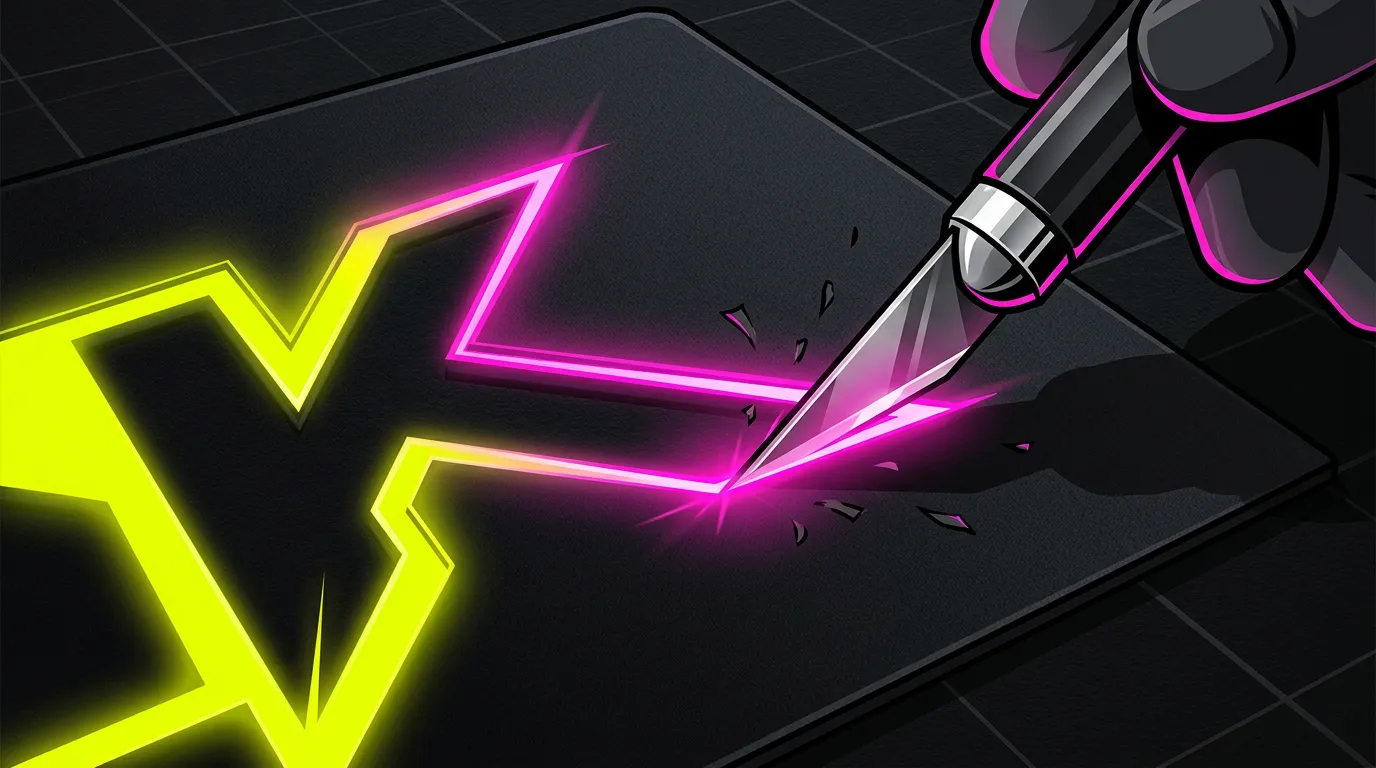
Stencil Cutting Techniques: Master the Art of Precision
Whether you're creating custom wall art, personalising furniture, or producing stencils for screen printing, the quality of your cuts makes all the difference. Sharp, clean edges separate amateur results from professional-looking work. I've spent years perfecting stencil cutting techniques, and I want to share what actually works - not just in theory, but in real-world projects.
Advanced Cutting Techniques That Deliver Results
Let's start with the fundamentals before moving to advanced approaches. The basic technique sounds simple: position your blade perpendicular to the material and use smooth, controlled pressure. But there's much more depth to master.
The Multi-Pass Method
One of the most effective techniques I've learned is the multi-pass approach. Rather than attempting to cut completely through on a single pass - which often leads to torn edges or skipped sections - you make several lighter passes instead. This is particularly useful with thicker materials like card or foam board.
Start with about 60% of the pressure you think you need. Make your first pass, following your design lines. Then go over the same lines again with slightly more pressure. Often a third pass completes the cut cleanly. This method might seem slower, but it dramatically reduces mistakes and gives you much better control.
Angle Cuts and Bevelling
If you're creating stencils that will see heavy use - say, for production work - you might consider bevelled edges. By angling your blade slightly (around 20-30 degrees from vertical) rather than cutting straight down, you create a subtle slope. This actually helps the stencil sit better on surfaces and reduces paint bleeding underneath, which is brilliant for repeated use.
This works best with craft knives rather than straight cutting tools. You'll develop a feel for the angle with practice. Start with materials you don't mind experimenting on.
Working with Different Materials
Your cutting technique absolutely has to adapt to your material. Mylar requires different handling than card. Mylar is slippery and needs slightly more pressure - rushing the cut leads to wandering lines. Card, particularly heavier grades, benefits from that multi-pass approach I mentioned.
For foam-based materials, lighter, more frequent passes prevent compression and tearing. With vinyl, steady, consistent pressure works best; stopping and starting creates visible marks where the blade broke contact.
Tips for Precision and Efficiency
Set Up Your Workspace Properly
Organisation matters more than you'd think. Before cutting, ensure your material is completely flat and secured. Use weights, tape, or a cutting mat with a grid pattern to hold everything stable. Even minor shifting during cutting throws off your precision dramatically.
Lighting is genuinely important too. Position your light source so it illuminates without creating shadows directly over your cutting area. A flexible work light or headlamp focused on the cutting line helps tremendously.
Sharpen Your Tools Regularly
I cannot overstate this. A dull blade is your worst enemy. Sharp tools require less pressure, reduce accidents, and produce cleaner cuts. Whether you're using a craft knife, rotary cutter, or specialist stencil blade, keep them sharp.
For replaceable blade tools, swap them frequently - don't wait until they're completely blunt. For permanent blades, invest in a decent honing stone and learn basic sharpening. It's a small time investment that pays dividends across every project.
Use the Right Cutting Tools for Your Design
Straight lines demand something different than curves. For long, straight cuts, a ruler with a cork or rubber backing prevents slipping. Curves require a finer blade and often benefit from specialty tools like a craft knife with a curved blade or even a rotary cutter for smooth arcs.
This is where LINK: Best Stencil Cutting Tools becomes genuinely useful - understanding what each tool does well helps you work faster and more accurately.
Mark Your Cutting Lines Clearly
Before you start cutting, take time to transfer your design accurately. A light pencil line is better than guessing. For complex designs, a lightbox makes transferring patterns infinitely easier. Some people use tracing paper; others print directly onto semi-transparent material. Whatever method you choose, clear lines make cutting more efficient and reduce errors.
Develop a Consistent Pace
Rushing is the primary cause of mistakes I see in stencil cutting. Work at a steady, controlled pace. Yes, this takes time initially, but it's faster overall than fixing mistakes or redoing entire stencils. Find a rhythm and stick with it.
Troubleshooting Common Cutting Issues
Blade Skipping or Jumping
This usually happens when your blade isn't sharp enough or when you're not holding your tool perpendicular to the material. Check your blade first - swap it out if you're unsure. Then review your angle and hand position.
If your design has corners where lines meet, take extra care at these junctions. Blade deflection is most common at direction changes. Some crafters slow down deliberately at these points.
Torn or Ragged Edges
Torn edges indicate either too much pressure applied too quickly, or dull tooling. Reduce your pressure and make multiple passes instead. For materials prone to tearing (like thin card), nearly every cut benefits from the multi-pass approach.
Temperature also plays a small role with some materials. Cold card cuts slightly easier than warm card in some circumstances - it's material-dependent, so pay attention to what works for your setup.
Incomplete Cuts
Parts of your design aren't cutting through completely. Again, this points to pressure issues, but there's also the matter of consistency. You might be applying adequate pressure to most of the cut but releasing slightly at certain points. This is common when you're concentrating intensely and hand fatigue sets in.
Take breaks. Seriously. A 5-minute break every 15-20 minutes of cutting makes you more accurate and safer overall.
Wandering Lines
Your cut lines don't follow your marked design accurately. First, check that your material is secure. Second, make sure you're not moving the material whilst cutting. Third, ensure your blade is sharp - dull blades wander more easily because they follow the path of least resistance in the material.
For complex designs with many curves, some people prefer working on a lighter material first as practice. There's absolutely no shame in this; you'll cut faster and better on subsequent attempts.
Why Tool Quality Matters More Than You Think
I mention this throughout, but it deserves emphasis: the quality of your cutting tools directly impacts the precision you can achieve. Cheap knives with poorly sharpened blades make these techniques nearly impossible. They require excessive pressure, fatigue your hand, and deliver inconsistent results.
Investing in proper tools - whether that's a quality craft knife set, a dedicated cutting mat, or specialty stencil cutters - genuinely transforms your work. You'll cut faster, more accurately, and with less frustration.
Bringing It All Together
Stencil cutting is a skill that improves with practice and intentional technique. Master the multi-pass method, keep your tools sharp, set up your workspace properly, and work at a sustainable pace. These fundamentals apply whether you're hand-cutting individual stencils or producing them in batches.
For designing your stencils, LINK: How to Make Stencil Templates walks through creating designs that cut cleanly and work well. And if you're looking to streamline your entire stencil creation workflow - from design through to cutting - LINK: FSM Pro landing page can handle the design phase with precision, letting you focus your energy on perfecting your cutting technique.
Perfect your cuts with FSM Pro - precision meets simplicity!
Ready to make your own stencil?
Start Making Stencils